Repository navigation
Add clip editing (split, delete, reorder, trim, per-clip speed) + fix recording stop race - #2
Conversation


The fixed 400 ms sleep after stop_capture raced the asynchronous file
finalisation; on slower (debug) builds the segment did not exist yet and
stop failed with "Failed to move segment to final output: os error 2".
Wait on the recording delegate's finish/fail callback instead (15 s cap).

Co-Authored-By: Claude Opus 5.5 (1M context) <noreply@anthropic.com>
The editor now edits an ordered clip sequence (src/lib/clips.ts) instead
of a single head/tail trim. Clips can be split at the playhead (S),
deleted, dragged to reorder, trimmed from either edge, duplicated, muted
and sped up or slowed down (0.25x-16x) for timelapses.

Zoom/effect segments, camera keyframes, audio trims and the cursor
sidecar stay in source time and are mapped per clip. Preview walks the
clips with per-clip playbackRate; export renders output frames and mixes
one audio piece per clip and track with an ffmpeg atempo chain.
Pre-v4 projects convert their trim into a single clip on load.

Co-Authored-By: Claude Opus 5.5 (1M context) <noreply@anthropic.com>

|
@pranavms13 please have a look at this, thanks! |


 pranavms13
left a comment
pranavms13
left a comment
pranavms13
left a comment
There was a problem hiding this comment.
@AleksDoesCode thanks for this, it's a big one and the overall shape is good. The source-vs-output time split is applied consistently and the atempo chain looks right. I went through it fairly carefully and left three inline comments on things I think need fixing before this goes in. Also, the description mentions bun test coverage for clips.ts but I don't see a test file in the branch, could you push those too?
| const rate = clip?.speed ?? 1; | ||
| for (const n of nodes) { | ||
| const ts = tracks[n.key]; | ||
| const inWindow = t >= ts.trimStart - 1e-3 && t <= dur - ts.trimEnd + 1e-3; |
There was a problem hiding this comment.
I think this one's a real bug. dur here is audioSyncRef.current.duration, which is now the edited output duration, but t is v.currentTime, i.e. source time. As soon as any clip is faster than 1x the output is shorter than the source, so inWindow flips to false partway through and the mic/system audio just drops out in the preview.
Easy repro: 60s recording, set the single clip to 10x, play from the start. Audio dies after ~6s of source and stays dead for the remaining 54s, even though the export still has it.
Should just be srcDuration going into the ref (around line 4564) instead of duration.
| // give it a beat so the segment file is playable when concatenated. | ||
| std::thread::sleep(Duration::from_millis(400)); | ||
| // SCRecordingOutput writes the file asynchronously after stop; wait for its finish callback. | ||
| let deadline = std::time::Instant::now() + Duration::from_secs(15); |
There was a problem hiding this comment.
Nice catch on the race, waiting on the delegate is definitely the right call. One concern with the loop though: it runs with the RecordingState mutex held, and stop_active_segment is also reached from the sync pause_capture / cancel_capture / restart_capture commands (via discard_recording), not only the async stop path.
If the finish/fail callback never comes, e.g. stop_capture() itself returned an error or the stream is already dead, pause/cancel will freeze the main thread for the full 15s, and anything else that takes the lock (status polls from the HUD) stalls with it. Before this change the worst case was 400ms.
Could we skip the wait entirely when stop_capture failed, and maybe use a channel/condvar with recv_timeout rather than sleeping in 50ms steps? A shorter cap on the sync paths would help too.
|
|
||
| // Zoom/effect segments live in source time; show them where their source | ||
| // range lands in the edited sequence and map chip edits back to source. | ||
| const srcMsFromOut = (c: PlacedClip, outMs: number) => |
There was a problem hiding this comment.
This bit worries me for zoom/effect segments that span a cut. The chips are rendered per piece with seg rebased to the piece's output bounds, and mapChipPatch pushes both startMs and endMs back through this one clip, so moving a piece rewrites the whole segment to the piece's length.
Repro: make a 3-8s zoom, split at 5s, nudge the left chip. The zoom becomes a 2s segment and the 5-8s part is gone.
Related: srcMsFromOut clamps to the whole recording rather than the clip, so dragging a piece's edge past the clip boundary after a reorder maps to source time on the wrong clip. I'd use the clip-clamped outToSrc from clips.ts here and only patch the edge that was actually dragged (for a move, shift start/end by the delta instead of writing absolute values).
|
@pranavms13 thanks for the careful review — all three points were valid. I've pushed the fixes in 7dd2860 and updated the PR description.
The missing tests are now committed in The earlier manual playback/capture checks in the description have not been repeated for this revision, and full in-app export remains unverified. Could you take another look when you have time? |

Resolve conflicts with the Glyph-Software#2 follow-up fixes on main:
- capture.rs: take main's cancel/restart handling (#[tauri::command(async)]
  plus skipping the finish wait when stop_capture fails), which covers this
  branch's spawn_blocking version.
- Editor: keep this branch's segment chip mapping (segmentChip.ts, grabOffset,
  boundary-locked resize handles) over main's mapSegmentPiecePatch/lengthMs.


Summary
Right now the editor can only trim the start and end of a recording. This PR adds real clip editing, so you can cut a recording the way you would in a video editor:
Sor the scissors button)⌫). The gap closes automatically.It also fixes a bug where stopping a recording failed.
Screenshots
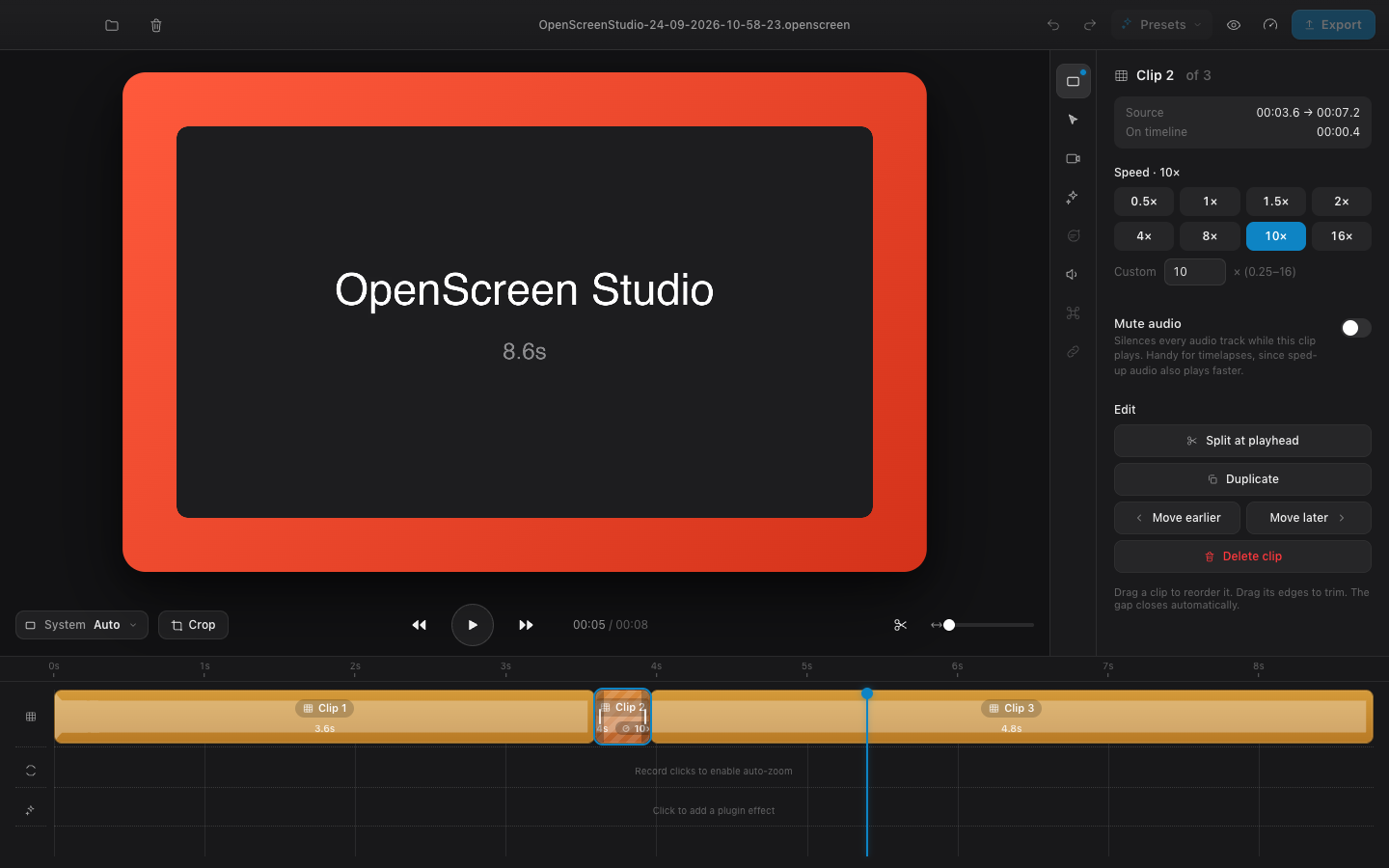
A clip selected and set to 10×. Sped-up clips are hatched on the timeline, and the inspector shows the clip panel.
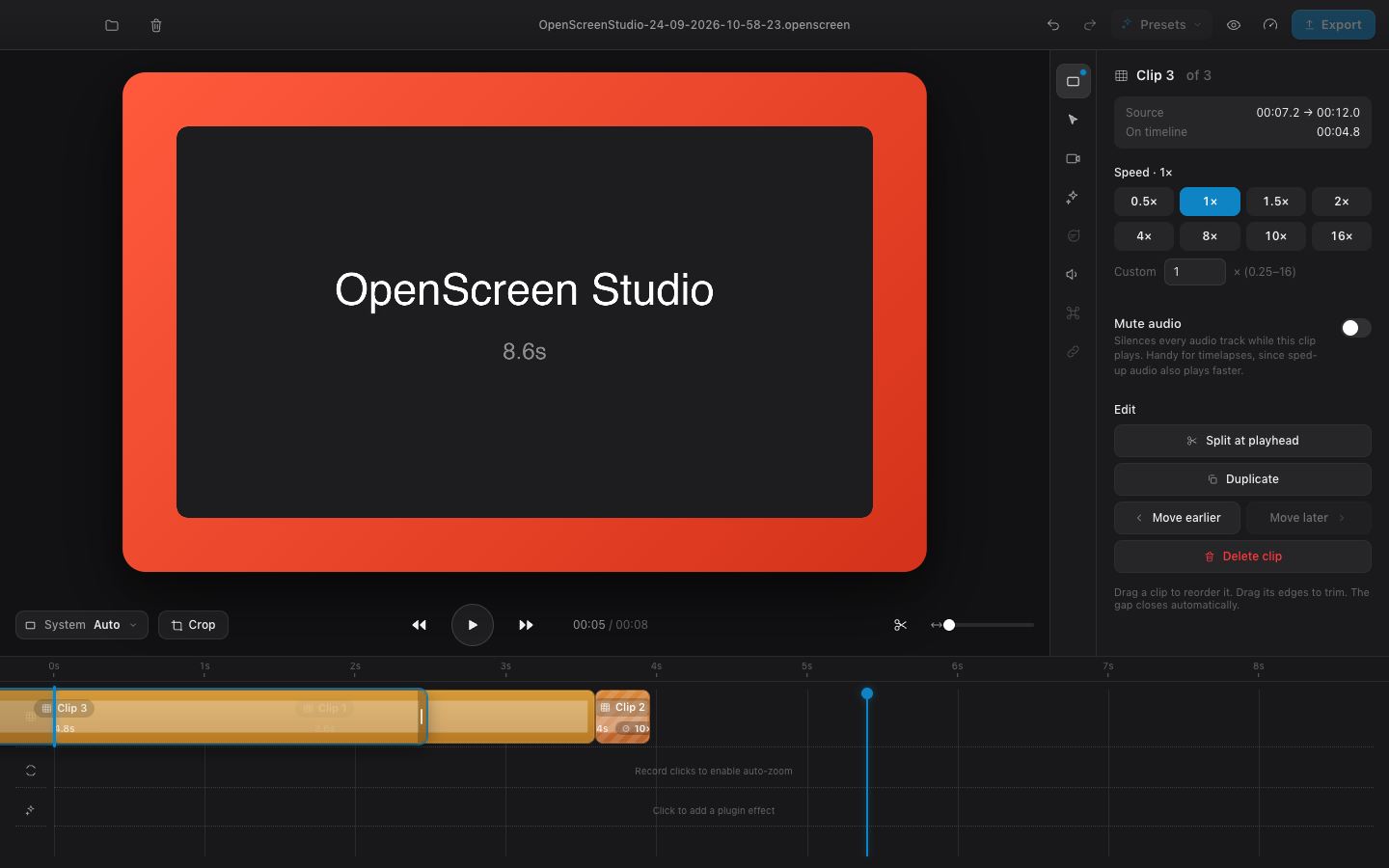
Dragging a clip to reorder it
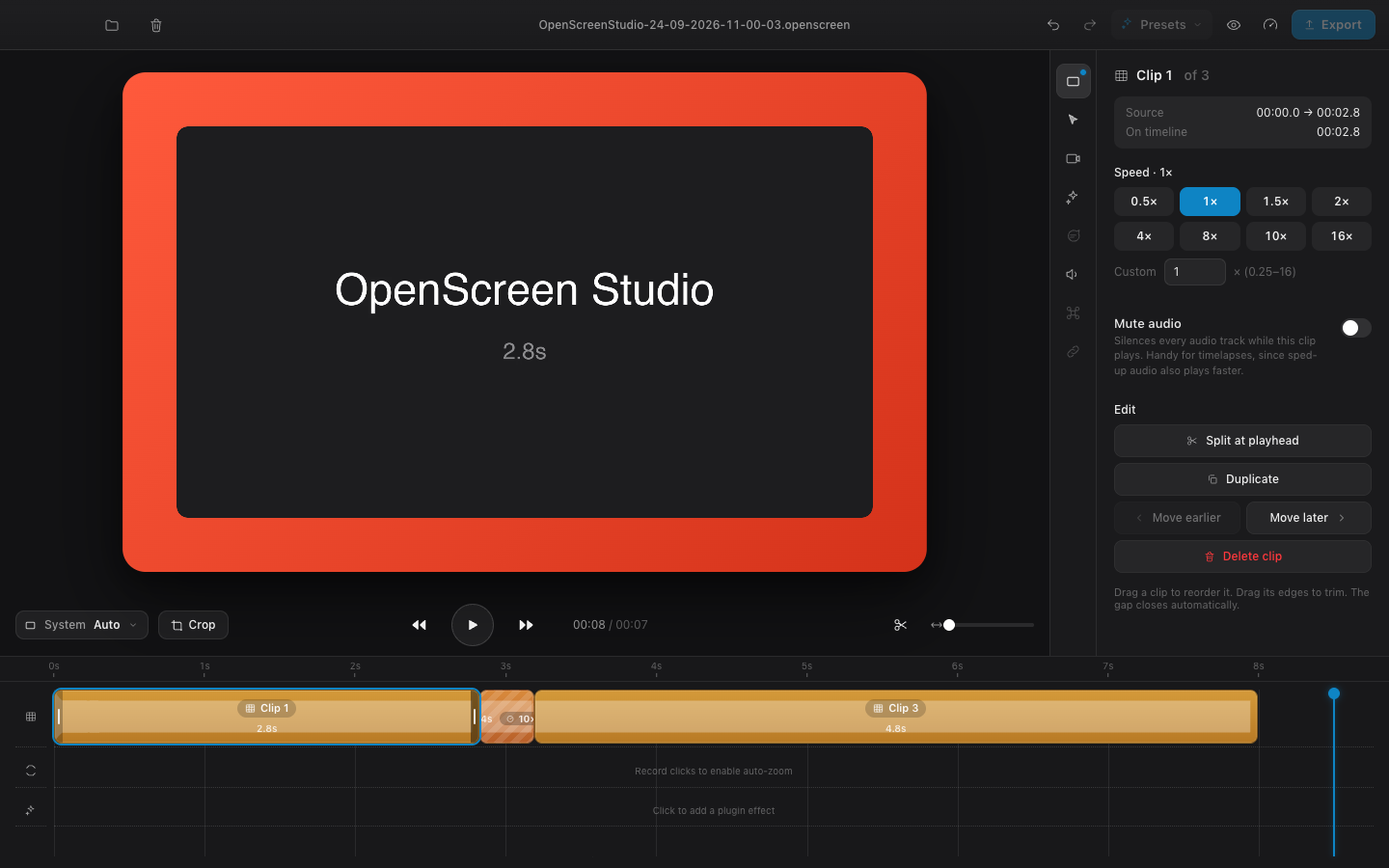
Trimming a clip edge. The preview shows the frame at the cut.
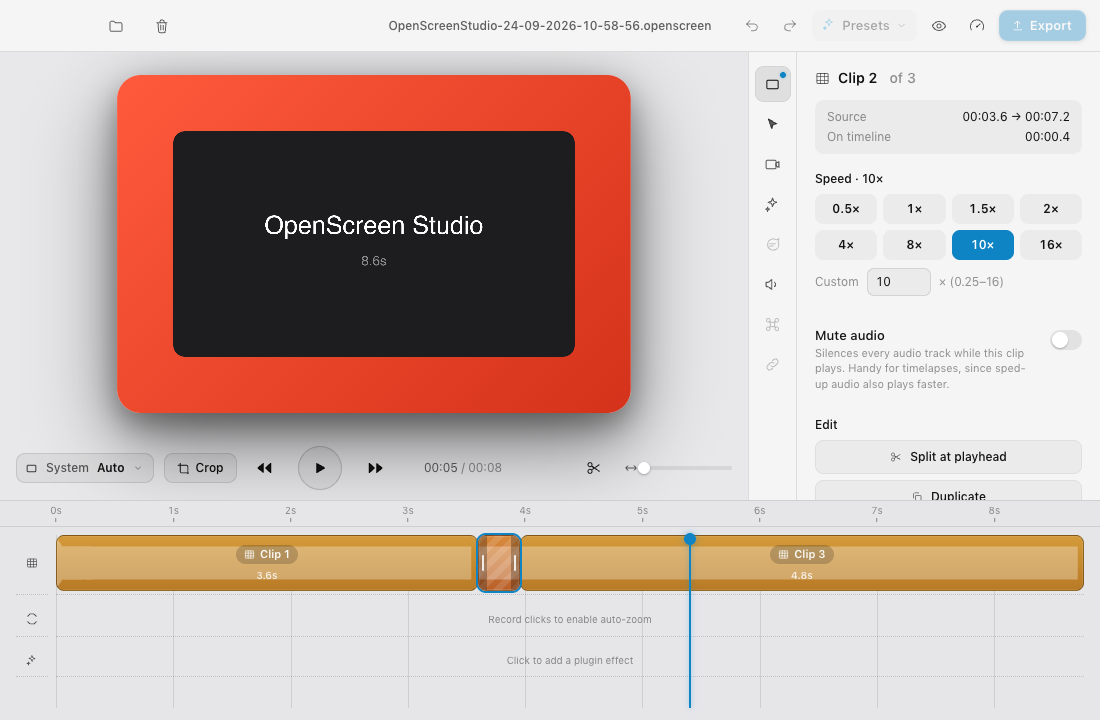
Light theme at 1100×720
How it works
src/lib/clips.ts(new). This is a pure, UI-free model.EditorState.clipsis an ordered list of{ srcStart, srcEnd, speed, muted }. An empty list means the whole recording. Helpers lay the clips out on the output timeline and map between output time and source time (layoutClips,outToSrc,srcToOut,srcRangePieces).<video>and setsplaybackRateto the clip's speed. The WebAudio tracks and the camera video follow the same rate. Muted clips silence all audio.AudioTrackSpecper clip and track, with a new optionaltempofield. On the Rust side this becomes an ffmpegatempochain, split into ×0.5 steps for speeds below 0.5, so exported audio keeps its pitch.PROJECT_VERSIONgoes from 3 to 4. Older projects still open: theirtrimStart/trimEndis converted into a single clip on load.AGENTS.mdhas a short section describing the clip model.Bug fix: stopping a recording (
capture.rs)After
stop_capture()the code waited a fixed 400 ms and then moved the segment file into place.SCRecordingOutputfinishes writing the file asynchronously, so on slower machines or debug builds the file didn't exist yet. Stopping then failed withFailed to move segment to final output: os error 2, and the recording was left behind as a hidden.oss-*-seg0.mp4. The fix waits for the recording delegate's finish/fail result via a channel instead. A failedstop_capture()skips the wait; delegate failures and timeouts are returned as errors. Final stop/discard uses a 15 s cap, while pause uses 2 s. Pause already runs as a background command; cancel/restart now do too, and restart releases the state mutex before discarding the old recording. Pause still serializes access to recording state during its bounded wait. This is in its own commit, so it can be cherry-picked separately if you prefer.Review fixes
outToSrc. Dragging also keeps the piece length captured at drag start.Testing
bunx tsc --noEmit,bun run buildandcargo checkall pass.bun test tests/clips.test.ts: 6 committed tests (19 assertions), covering split, speed layout, time mapping, move/remove/duplicate, and zoom/effect piece edits across cuts, reordered clips and speed changes.public/sample.mp4loaded. Checked there: split, 10×, drag-reorder, delete, undo, and edge trim. Playback correctly switches between 1× and 10× and back, continues across reordered clips (for example, source 12.0 s to 0.0 s), and stops at the end.atempofilter graph against the bundled ffmpeg: 5 s at 1× plus 20 s at 10× produces 7.0 s of audio, and the ×0.25 chain also works.Known limitations
AudioBufferSourceNode.playbackRate. The export keeps the pitch.🤖 Generated with Claude Code