





pig is an open-source PostgreSQL and extension package manager for mainstream (EL/Debian/Ubuntu) Linux.
Install PostgreSQL 14–18 and explore a catalog of 620 packaged entries on amd64 or arm64 hosts through the native OS package manager.
PIG-owned commands can emit self-describing structured results with -o json or -o yaml, making it an Agent-Friendly PostgreSQL CLI tool. Native passthrough commands retain their own interaction and output contract.
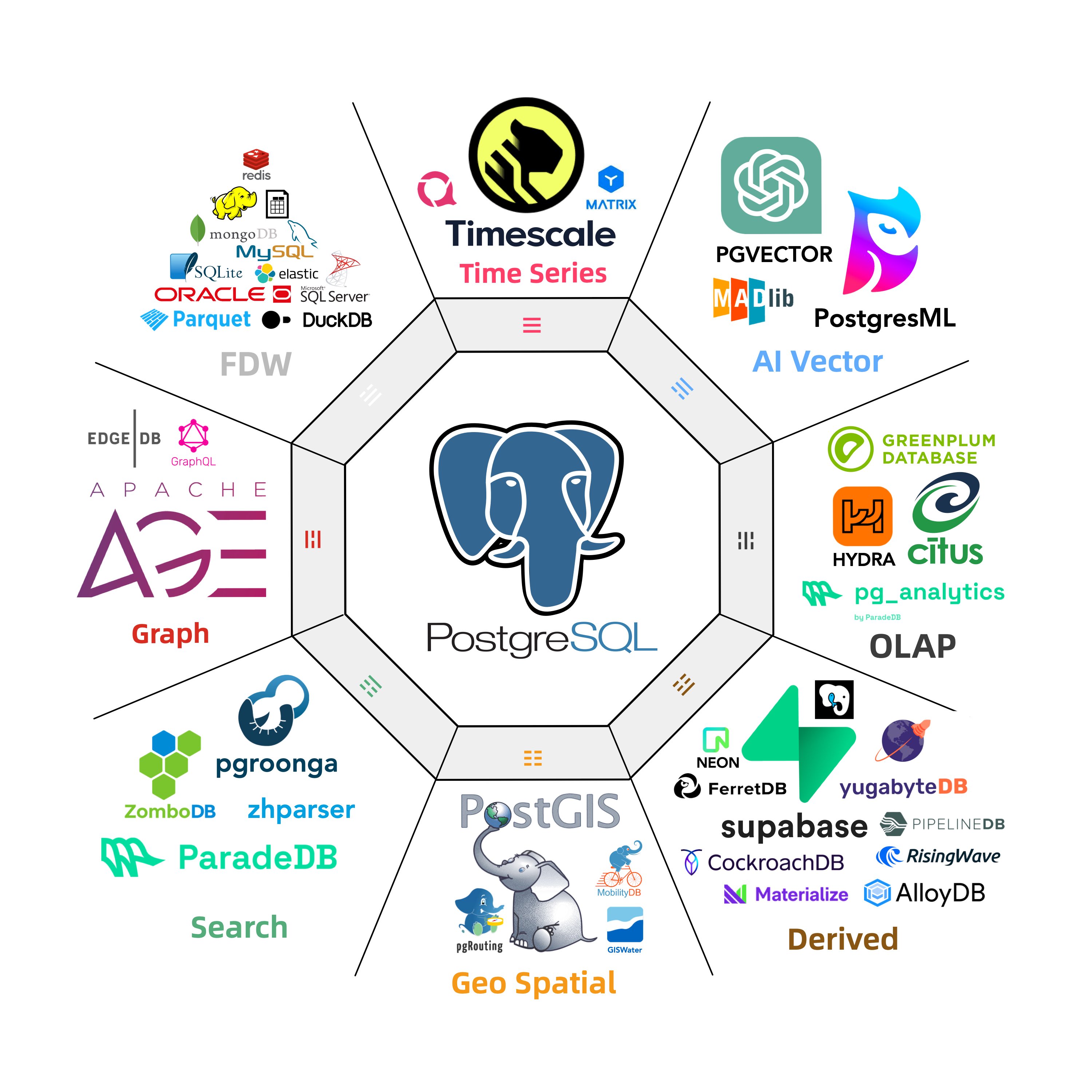
Also explore the full PGEXT.CLOUD directory of 2,703 catalogued PostgreSQL extensions.
The 2026-10-29 source catalog snapshot contains 620 packaged catalog records: 617 are marked available and 3 are retained as removed records. They map to 512 distinct package names when PostgreSQL contrib modules are included; the package view used for availability reports covers 451 non-contrib package families. The full PGEXT.CLOUD directory contains 2,703 ecosystem entries, including packaged, source-only, and provider-specific extensions.
The count follows the catalog directory-entry contract: it measures coverage, while package names, platform availability, PostgreSQL-major support, and database enablement remain separate properties. The v1.10.3 release artifact ships with this 620-record catalog snapshot; later catalog data can be loaded with pig ext reload.





Install the pig package first, (you can also use apt / dnf or just copy the binary)
curl -fsSL https://repo.pigsty.io/pig | bashThen add the PostgreSQL repository and install PostgreSQL 18 plus the pg_duckdb package:
$ pig repo add pgsql -u       # add pgdg & pigsty repo, then update repo cache
$ pig install pg18              # install PostgreSQL 18 kernel packages
$ pig ext add pg_duckdb -v 18   # install the pg_duckdb extension (for current pg18)
These commands install host packages. Creating or configuring an extension inside a database is a separate PostgreSQL operation. Check the advanced usage for details and the full list of 620 catalog entries.

The pig util is a standalone Go binary with no dependencies. You can install it with:
curl -fsSL https://repo.pigsty.io/pig | bash   # cloudflare default
curl -fsSL https://repo.pigsty.cc/pig | bash   # mainland china mirror
Or just download and extract the binary, or use the apt/dnf package manager:
For Ubuntu 22.04 / 24.04 & Debian 12 / 13 or any compatible platforms:
sudo tee /etc/apt/sources.list.d/pigsty.list > /dev/null <<EOF
deb [trusted=yes] https://repo.pigsty.io/apt/infra generic main
EOF
sudo apt update; sudo apt install -y pig
For EL 8 / 9 / 10 and compatible platforms:
sudo tee /etc/yum.repos.d/pigsty.repo > /dev/null <<-'EOF'
[pigsty-infra]
name=Pigsty Infra for $basearch
baseurl=https://repo.pigsty.io/yum/infra/$basearch
enabled = 1
gpgcheck = 0
module_hotfixes=1
EOF
sudo dnf makecache; sudo dnf install -y pig
For mainland China users: consider replacing
repo.pigsty.iowithrepo.pigsty.cc.
pig has self-update feature, you can update pig itself to the latest version with:
pig update                  # self-update to the latest version
pig update -v <version>     # self-update to a specific released version
pig ext reload # update extension catalog metadata onlyNote
command outputs below are illustrative snapshots; exact package/version lists vary by OS, architecture, PostgreSQL major, and repository snapshot.
Environment Status
pig status                    # show os & pg & pig status
pig repo status               # show upstream repo status
pig ext  status               # show pg extensions status
Extension Management
pig ext list    [query]       # list & search extensions
pig ext info    <ext...>      # get information for specific extensions
pig ext avail   [ext...]      # show extension availability matrix
pig ext status  [-c] [-v VERSION] # show host-visible files for a PostgreSQL installation
pig ext scan                  # scan installed extensions for active pg
pig ext add     <ext...>      # install extension packages for a PostgreSQL version
pig ext rm      <ext...>      # remove extension packages for a PostgreSQL version
pig ext update  [ext...]      # update extension to the latest version
pig ext import  <ext...>      # download extension packages to a local repo
pig ext link    <version|path|none> # link a PostgreSQL installation into PATH
pig ext reload                # reload the latest extension catalog
Repo Management
pig repo list                    # available repo list
pig repo info   [repo|module...] # show repo info
pig repo status                  # show current repo status
pig repo add    [repo|module...] # add repo and modules
pig repo set    [repo|module...] # overwrite & update after add
pig repo rm     [repo|module...] # remove repo & modules
pig repo update                  # update repo pkg cache
pig repo create                  # create repo on current system
pig repo boot                    # boot repo from offline package
pig repo cache                   # cache repo as offline package
pig repo reload                  # reload repo catalog to latest version
Build Management
pig build repo [module...]       # initialize required build repositories
pig build tool  [mini|full|...]  # init build toolset
pig build proxy [id@host:port]   # install/verify Xray; also has client/server modes
pig build rust  [-m] [-y]        # install Rust and Cargo, optionally use mirrors
pig build pgrx  [-v 0.19.3]      # install and initialize cargo-pgrx
pig build spec                   # init build spec repo
pig build get   <pkg...>         # download named source tarballs
pig build dep   <pkg...>         # install extension build dependencies
pig build ext   <pkg...>         # build named extension packages
pig build pkg   <pkg...>         # get+dep+ext in one pass; debug packages by default
PostgreSQL and Operations
PIG also includes local PostgreSQL, Patroni, pgBackRest, PITR, inventory, and Pigsty administration commands. These workflows have their own safety and output contracts; use --plan where supported and pass --yes explicitly for destructive automation.
pig context -o json                         # host, PostgreSQL, Patroni, backup, and extension context
pig pg status                                # inspect the local PostgreSQL instance
pig pg start                                 # start the local instance
pig pt list pg-meta                          # native Patroni cluster command
pig pb backup full                           # create a full pgBackRest backup
pig pitr -d --plan                           # preview an orchestrated PITR workflow
pig inventory status                         # inspect the active Pigsty Inventory
pig inventory validate                       # validate a static Inventory file
pig do pgsql-ext <cls> [ext...]              # run a bounded Pigsty extension task
pig pe get                                    # query pg_exporter metrics
pig sty conf -g -v 18                        # generate a Pigsty configuration
See the command reference for the complete command surface and the individual guides for PostgreSQL, Patroni, pgBackRest, PITR, and Inventory.
pig install and repository commands manage host packages. pig pg manages a local PostgreSQL instance, pig pt forwards native Patroni commands, pig pb restore is a low-level pgBackRest primitive, and pig pitr orchestrates a recovery workflow with its own stop/start and confirmation rules. Commands such as inventory show and native passthrough commands keep their native text output.
Radical Repo Admin
The default pig repo add pgsql adds the PGDG and PIGSTY PostgreSQL repositories to your system. The following command backs up and overwrites the existing repository configuration, then adds the required node, PostgreSQL, and infrastructure repositories.
pig repo add all -ru         # add all repos, remove old entries, and update the cache
pig repo set                 # set the node, pgsql, and infra repository set
repo set is the stronger form of repo add: it replaces the selected repository set and refreshes the cache. Use pig repo add all -r -u when you want the equivalent explicit flags.
You can recover your old repos from /etc/apt/sources.list.d/backup or /etc/yum.repos.d/backup.
Install PostgreSQL
You can install PostgreSQL kernel packages with the top-level package installer:
pig install pg18             # install PostgreSQL 18 kernel packages
pig install pg17             # install PostgreSQL 17 kernel packages
pig install pg16-mini        # install PostgreSQL 16 minimal packages
pig install pg15 -y          # install PostgreSQL 15 packages with auto-confirm

pig install pg17 --plan          # preview translated native install command
pig install postgis -v 17 -o json --plan   # preview in structured JSON output
The pg<major>-<profile> aliases include mini, core, main, client, and devel variants. To request an exact package version, append =VERSION when that version is present in the configured native repository. The compatibility alias pig ext install is still accepted; pig ext add is the current spelling.
You can link the installed PostgreSQL to the system path with:
pig ext link 17               # create /usr/pgsql -> /usr/pgsql-17 or /usr/lib/postgresql/17 and put its bin dir in your PATH
. /etc/profile.d/pgsql.sh     # reload the path and take effect immediately
Using Alias
pig install and pig ext add support alias translation; pig ext install remains a compatibility alias. Alias resolution has two parts:
- Static aliases from
cli/ext/catalog.go(LoadAliasMap, with OS/arch overrides). - Dynamic category aliases from
cli/ext/alias_dynamic.go.
Common PostgreSQL kernel aliases:
pg<ver>                  pgsql
pg<ver>-mini             pg<ver>-core
pg<ver>-full             pg<ver>-main
pg<ver>-client           pg<ver>-server
pg<ver>-devel            pg<ver>-basic
Dynamic category aliases (pg18-gis, pg17-rag, pgsql-olap, ...):
time, gis, rag, fts, olap, feat, lang, type,
util, func, admin, stat, sec, fdw, sim, etl
Common static alias keys (some utility aliases are OS-specific):
agensgraph, ansible, babelfish, clickhouse, cloudberry, docker, ferretdb,
hunspell, infra, infra-extra, ivorysql, java-runtime, kafka-stack,
kube-runtime, kubernetes, node, node-bootstrap, openhalodb, orioledb,
patroni, percona-core, percona-main, pgedge, pgsql-common, polardb,
postgresql, supabase, timescaledb-utils, victoria, vlogs, vmetrics, vtraces
Check the actual installed package with --plan:
vagrant@meta:~$ pig install pg18-gis --plan
Execution Plan
Command: pig install pg18-gis

Actions:
  [1] Resolve package names: postgresql-18-postgis-3 <- pg18-gis, postgresql-18-pgrouting <- pg18-gis, postgresql-18-pointcloud <- pg18-gis, postgresql-18-h3 <- pg18-gis, postgresql-18-q3c <- pg18-gis, postgresql-18-ogr-fdw <- pg18-gis, postgresql-18-geoip <- pg18-gis, postgresql-18-pg-polyline <- pg18-gis, postgresql-18-pg-geohash <- pg18-gis, postgresql-18-mobilitydb <- pg18-gis, postgresql-18-tzf <- pg18-gis
  [2] Execute: sudo apt-get install postgresql-18-postgis-3 postgresql-18-pgrouting postgresql-18-pointcloud postgresql-18-h3 postgresql-18-q3c postgresql-18-ogr-fdw postgresql-18-geoip postgresql-18-pg-polyline postgresql-18-pg-geohash postgresql-18-mobilitydb postgresql-18-tzf

Affects:
Type     Name                       Impact   Detail
──────────────────────────────────────────────────────────────────
package  postgresql-18-postgis-3    install  requested by pg18-gis
package  postgresql-18-pgrouting    install  requested by pg18-gis
package  postgresql-18-pointcloud   install  requested by pg18-gis
package  postgresql-18-h3           install  requested by pg18-gis
package  postgresql-18-q3c          install  requested by pg18-gis
package  postgresql-18-ogr-fdw      install  requested by pg18-gis
package  postgresql-18-geoip        install  requested by pg18-gis
package  postgresql-18-pg-polyline  install  requested by pg18-gis
package  postgresql-18-pg-geohash   install  requested by pg18-gis
package  postgresql-18-mobilitydb   install  requested by pg18-gis
package  postgresql-18-tzf          install  requested by pg18-gis

Expected:
  Packages installed: postgresql-18-postgis-3, postgresql-18-pgrouting, postgresql-18-pointcloud, postgresql-18-h3, postgresql-18-q3c, postgresql-18-ogr-fdw, postgresql-18-geoip, postgresql-18-pg-polyline, postgresql-18-pg-geohash, postgresql-18-mobilitydb, postgresql-18-tzf
More Alias
Take el for examples:
"postgresql":          "postgresql$v postgresql$v-server postgresql$v-libs postgresql$v-contrib postgresql$v-plperl postgresql$v-plpython3 postgresql$v-pltcl"
"pgsql-common":        "patroni patroni-etcd pgbouncer pgbackrest pg-exporter pgbackrest-exporter vip-manager"
"patroni":             "patroni patroni-etcd"
"pg-activity":         "pg_activity"
"pg-filedump":         "pg_filedump"
"timescaledb-utils":   "timescaledb-tools timescaledb-event-streamer"
"ivorysql":            "ivorysql-$v ivorysql-$v-contrib"
"agensgraph":          "agensgraph-$v"
"pgedge":              "pgedge-$v"
"polardb":             "polardb-$v"
"orioledb":            "orioledb-$v"
"openhalodb":          "openhalodb-$v"
"percona-core":        "percona-postgresql18,percona-postgresql18-server,percona-postgresql18-contrib,percona-postgresql18-plperl,percona-postgresql18-plpython3,percona-postgresql18-pltcl,percona-pg_tde18"
"percona-main":        "percona-postgresql18,percona-postgresql18-server,percona-postgresql18-contrib,percona-postgresql18-plperl,percona-postgresql18-plpython3,percona-postgresql18-pltcl,percona-pg_tde18,percona-postgis35_18,percona-postgis35_18-client,percona-postgis35_18-utils,percona-pgvector_18,percona-wal2json18,percona-pg_repack18,percona-pgaudit18,percona-pgaudit18_set_user,percona-pg_stat_monitor18,percona-pg_gather"
"ferretdb":            "ferretdb2"
"clickhouse":          "clickhouse-server clickhouse-client clickhouse-common-static"
"victoria":            "victoria-metrics victoria-metrics-cluster vmutils grafana-victoriametrics-ds victoria-logs vlogscli vlagent victoria-traces grafana-victorialogs-ds"
"vmetrics":            "victoria-metrics victoria-metrics-cluster vmutils"
"vlogs":               "victoria-logs vlogscli vlagent"
"vtraces":             "victoria-traces"
Install for another PG
pig will use the default postgres installation in your active PATH,
but you can install extensions for a specific installation with -v (when using the PGDG convention),
or passing any pg_config path for custom installation.
pig ext add pg_duckdb -v 17     # install the extension for pg17
pig ext add pg_duckdb -p /usr/lib/postgresql/16/bin/pg_config    # specify a pg16 pg_config
Install a Specific Version
You can also install PostgreSQL kernel packages with:
pig install pgvector -v 18       # install pgvector for PostgreSQL 18
pig install pgvector=VERSION     # request an exact repository package version
The APT repository may only retain the latest minor version for a package; exact-version requests must match the version string published by the configured repository.
Search Extension
You can perform fuzzy search on extension name, description, and category.
vagrant@meta:~$ pig ext ls olap
✓ Found 27 extensions matching 'olap'
Name                  Status     Version  Cate  Flags   License            Repo     PGVer  Package                       Description
─────────────────────────────────────────────────────────────────────────────────────────────────────────────────────────────────────────────────────────
citus                 available  14.3-1   OLAP  -dsl--  AGPL-3.0-only      PIGSTY   16-18  postgresql-18-citus           Distributed PostgreSQL as an extension
citus_columnar        available  14.3-1   OLAP  -ds---  AGPL-3.0-only      PIGSTY   16-18  postgresql-18-citus           Citus columnar storage engine
columnar              not_avail  1.1.2    OLAP  -ds---  AGPL-3.0           PIGSTY   14-16  postgresql-18-hydra           Hydra Columnar extension
pg_duckdb             available  1.1.1    OLAP  -dsl--  MIT                PIGSTY   14-18  postgresql-18-pg-duckdb       DuckDB Embedded in Postgres
pg_mooncake           available  0.2.0    OLAP  -dsl--  MIT                PIGSTY   14-18  postgresql-18-pg-mooncake     Columnstore Table in Postgres
storage_engine        available  2.4.0    OLAP  -dsl--  AGPL-3.0           PIGSTY   15-18  postgresql-18-storage-engine  colcompress and rowcompress Table Access Methods with vectorized
pg_clickhouse          available  0.11     OLAP  -ds--r  Apache-2.0         PIGSTY   14-18  postgresql-18-clickhouse      Interfaces to query ClickHouse databases from PostgreSQL
duckdb_fdw             available  2.0.2    OLAP  -ds--r  MIT                PIGSTY   15-18  postgresql-18-duckdb-fdw      DuckDB Foreign Data Wrapper
pg_parquet             available  0.5.1    OLAP  -dsl--  PostgreSQL         PIGSTY   14-18  postgresql-18-pg-parquet      copy data between Postgres and Parquet
pg_ducklake            available  1.0.3    OLAP  -dsl--  MIT                PIGSTY   14-18  postgresql-18-pg-ducklake     DuckLake lakehouse extension for PostgreSQL, backed by DuckDB and Parquet
pg_fkpart              available  1.7.0    OLAP  -d----  GPL-2.0            PIGSTY   14-18  postgresql-18-pg-fkpart       Table partitioning by foreign key utility
pg_partman             available  5.5.0    OLAP  -ds---  PostgreSQL         PGDG     14-18  postgresql-18-partman         Extension to manage partitioned tables by time or ID
plproxy               available  2.12.0   OLAP  -ds---  ISC                PGDG     14-18  postgresql-18-plproxy         Database partitioning implemented as procedural language
pg_strom              not_avail  6.1      OLAP  -ds---  PostgreSQL                  15-18                                PG-Strom - big-data processing acceleration using GPU and NVME
pg_orca                available  1.0.0    OLAP  -dsl--  Apache-2.0         PIGSTY   18     postgresql-18-pg-orca         ORCA query optimizer as a PostgreSQL extension
pg_sorted_heap         available  0.14.0   OLAP  -dsl--  PostgreSQL         PIGSTY   16-18  postgresql-18-pg-sorted-heap  Sorted heap table AM with zone map scan pruning and built-in vectorization
pg_lake                available  3.5      OLAP  bdsl--  Apache-2.0         PIGSTY   16-18  postgresql-18-pg-lake         Data lake extension by Snowflake
pg_extension_base      available  3.5      OLAP  -dsl--  Apache-2.0         PIGSTY   16-18  postgresql-18-pg-lake         Extension development kit by Snowflake
pg_extension_updater   available  3.5      OLAP  -dsl--  Apache-2.0         PIGSTY   16-18  postgresql-18-pg-lake         Automatic extension updater
pg_map                 available  3.5      OLAP  -ds---  Apache-2.0         PIGSTY   16-18  postgresql-18-pg-lake         Map type for PostgreSQL, bundled as a required pg_lake component
pg_lake_engine         available  3.5      OLAP  -dsl--  Apache-2.0         PIGSTY   16-18  postgresql-18-pg-lake         Query engine for data lake queries
pg_lake_iceberg        available  3.5      OLAP  -ds---  Apache-2.0         PIGSTY   16-18  postgresql-18-pg-lake         Iceberg implementation in Postgres
pg_lake_table          available  3.5      OLAP  -dsl--  Apache-2.0         PIGSTY   16-18  postgresql-18-pg-lake         Data lake tables and Iceberg tables
pg_lake_copy           available  3.5      OLAP  -dsl--  Apache-2.0         PIGSTY   16-18  postgresql-18-pg-lake         Copy to/from data lake files
pg_table_range         not_avail  0.1.2    OLAP  -ds---  MIT                         16-18                                Planning-time partition pruning by per-partition data ranges
pg_improv              available  0.12.1   OLAP  -ds---  Apache-2.0 OR MIT  PIGSTY   15-18  postgresql-18-pg-improv       Incremental multidimensional models and formula functions over PostgreSQL
tablefunc              available  1.0      OLAP  -ds-tr  PostgreSQL         CONTRIB  14-18  postgresql-18                 functions that manipulate whole tables, including crosstab

(27 Rows)
You can use the -v 16 or -p /path/to/pg_config to find extension availability for other PostgreSQL installation.
Extension Availability Matrix
You can check the availability matrix for extensions across different OS/Arch/PG combinations:
$ pig ext avail pg_duckdb            # show availability matrix for pg_duckdb
$ pig ext avail postgis pgvector     # show matrix for multiple extensions
$ pig ext avail # show all packages availability on current OSvagrant@meta:~$ pig ext avail
✓ Found 444 packages available on u24.arm64
Extension Availability on u24.aarch64 : https://pigsty.io/ext/os/u24.aarch64
Showing 451 packages with 620 extensions (green = PIGSTY, blue = PGDG)
Pkg 18 17 16 15 14
timescaledb 2.31.0 2.31.0 2.31.0 2.28.3 2.19.3
timescaledb_toolkit 1.23.0 1.23.0 1.23.0 1.23.0 1.19.0
pg_timeseries 0.2.1 0.2.1 0.2.1 0.2.1 0.2.1
periods 1.2.3 1.2.3 1.2.3 1.2.3 1.2.3
temporal_tables 1.2.2 1.2.2 1.2.2 1.2.2 1.2.2
emaj 5.0.0 5.0.0 5.0.0 5.0.0 5.0.0
table_version 1.11.1 1.11.1 1.11.1 1.11.1 1.11.1
pg_cron 1.6.8 1.6.8 1.6.8 1.6.8 1.6.8
pg_task 3.0.0 3.0.0 3.0.0 3.0.0 3.0.0
pg_later 0.4.0 0.4.0 0.4.0 0.4.0 0.4.0
pg_dispatch 0.1.5 0.1.5 0.1.5 0.1.5 0.1.5
pg_background 2.0.4 2.0.4 2.0.4 2.0.4 2.0.4
pg_when 0.1.10 0.1.10 0.1.10 0.1.10 0.1.10
edtf_postgres 1.3.2 1.3.2 1.3.2 1.3.2 1.3.2
pg_stl 1.0.0 1.0.0 1.0.0 - -
cron_utils 0.1.0 0.1.0 0.1.0 0.1.0 0.1.0
postgis 3.6.4 3.6.4 3.6.4 3.6.4 3.6.4
pgrouting 4.0.1 4.0.1 4.0.1 4.0.1 4.0.1
pointcloud 1.2.5 1.2.5 1.2.5 1.2.5 1.2.5
...
Print Extension Summary
You can get extension metadata with pig ext info subcommand:
$ pig ext info pg_duckdb
✓ Extension: pg_duckdb
╭──────────────────────────────────────────────────────────────────────────────────────────────╮
│ pg_duckdb                                                                                    │
├──────────────────────────────────────────────────────────────────────────────────────────────┤
│ DuckDB Embedded in Postgres                                                                  │
├──────────────┬───────────────────────────────────────────────────────────────────────────────┤
│ Extension    │ pg_duckdb                                                                     │
│ Package      │ pg_duckdb                                                                     │
│ Leading Ext  │ pg_duckdb                                                                     │
│ Category     │ OLAP                                                                          │
│ License      │ MIT                                                                           │
│ Language     │ C++                                                                           │
│ Website      │ https://github.com/duckdb/pg_duckdb                                           │
│ Details      │ https://pigsty.io/ext/e/pg_duckdb                                             │
│ Source       │ pg_duckdb-1.1.1.tar.gz                                                        │
├──────────────┴───────────────────────────────────────────────────────────────────────────────┤
│ Properties                                                                                   │
├──────────────┬────────────┬─────────────┬───────────┬────────────┬─────────────┬─────────────┤
│  Attributes  │ Has Binary │ Has Library │ Need Load │ Create DDL │ Relocatable │   Trusted   │
├──────────────┼────────────┼─────────────┼───────────┼────────────┼─────────────┼─────────────┤
│    -dsl--    │     No     │     Yes     │    Yes    │    Yes     │     No      │     No      │
├──────────────┴────────────┴─────────────┴───────────┴────────────┴─────────────┴─────────────┤
│ Relationship                                                                                 │
├──────────────┬───────────────────────────────────────────────────────────────────────────────┤
│ Requires:    │                                                                               │
│ Required By: │ pg_mooncake                                                                   │
│ See Also:    │ pg_mooncake, pg_ducklake, duckdb_fdw, pg_parquet, pg_lake, pg_clickhouse, ... │
├──────────────┴───────────────────────────────────────────────────────────────────────────────┤
│ EXT Summary                                                                                  │
├──────────────┬───────────────────────────────────────────────────────────────────────────────┤
│ Repository   │ PIGSTY                                                                        │
│ Version      │ 1.1.1                                                                         │
│ PG Version   │ 18, 17, 16, 15, 14                                                            │
│ Schemas      │ public                                                                        │
├──────────────┴───────────────────────────────────────────────────────────────────────────────┤
│ RPM Package                                                                                  │
├──────────────┬───────────────────────────────────────────────────────────────────────────────┤
│ Package      │ pg_duckdb_$v                                                                  │
│ Repository   │ PIGSTY                                                                        │
│ Version      │ 1.1.1                                                                         │
│ PG Version   │ 18, 17, 16, 15, 14                                                            │
├──────────────┴───────────────────────────────────────────────────────────────────────────────┤
│ DEB Package                                                                                  │
├──────────────┬───────────────────────────────────────────────────────────────────────────────┤
│ Package      │ postgresql-$v-pg-duckdb                                                       │
│ Repository   │ PIGSTY                                                                        │
│ Version      │ 1.1.1                                                                         │
│ PG Version   │ 18, 17, 16, 15, 14                                                            │
├──────────────┴───────────────────────────────────────────────────────────────────────────────┤
│ Operation                                                                                    │
├──────────────┬───────────────────────────────────────────────────────────────────────────────┤
│ INSTALL      │ pig ext add pg_duckdb                                                         │
│ CONFIG       │ shared_preload_libraries = 'pg_duckdb'                                        │
│ CREATE       │ CREATE EXTENSION pg_duckdb;                                                   │
│ BUILD        │ pig build pkg pg_duckdb;  # build rpm / deb                                   │
├──────────────┴───────────────────────────────────────────────────────────────────────────────┤
│ Comment: conflict with duckdb_fdw                                                            │
╰──────────────────────────────────────────────────────────────────────────────────────────────╯
# Print in JSON format
$ pig ext info pg_duckdb -o json
{"api":1,"success":true,"code":0,"message":"Extension: pg_duckdb","data":{"name":"pg_duckdb","pkg":"pg_duckdb","lead_ext":"pg_duckdb","category":"OLAP","license":"MIT","language":"C++","version":"1.1.1","url":"https://github.com/duckdb/pg_duckdb","source":"pg_duckdb-1.1.1.tar.gz","description":"DuckDB Embedded in Postgres","zh_desc":"在PostgreSQL中的嵌入式DuckDB扩展","properties":{"has_bin":false,"has_lib":true,"need_load":true,"need_ddl":true,"relocatable":"f","trusted":"f"},"required_by":["pg_mooncake"],"see_also":["pg_mooncake","pg_ducklake","duckdb_fdw","pg_parquet","pg_lake","pg_clickhouse","aws_s3","file_fdw","pg_bulkload","columnar"],"pg_ver":["18","17","16","15","14"],"schemas":["public"],"rpm_package":{"package":"pg_duckdb_$v","repository":"PIGSTY","version":"1.1.1","pg_ver":["18","17","16","15","14"]},"deb_package":{"package":"postgresql-$v-pg-duckdb","repository":"PIGSTY","version":"1.1.1","pg_ver":["18","17","16","15","14"]},"operations":{"install":"pig ext add pg_duckdb","config":"shared_preload_libraries = 'pg_duckdb'","create":"CREATE EXTENSION pg_duckdb;","build":"pig build pkg pg_duckdb;  # build rpm / deb"},"comment":"conflict with duckdb_fdw"}}
Print Extension Availability
You can get extension package availability with pig ext avail subcommand:
$ pig ext avail postgis

✓ Availability for postgis: 80/80 avail

postgis (postgis) - PostGIS geometry and geography spatial types and functions
Latest: 3.6.4 | 80/80 avail, PG14, PG15, PG16, PG17, PG18
Details: https://pigsty.io/ext/e/postgis  (green = PIGSTY, blue = PGDG)

╭──────────────┬──────────────┬──────────────┬──────────────┬──────────────┬──────────────╮
│ OS \ PG      │      18      │      17      │      16      │      15      │      14      │
├──────────────┼──────────────┼──────────────┼──────────────┼──────────────┼──────────────┤
│ el8.x86_64   │    3.6.4     │    3.6.4     │    3.6.4     │    3.6.4     │    3.6.4     │
├──────────────┼──────────────┼──────────────┼──────────────┼──────────────┼──────────────┤
│ el8.aarch64  │    3.6.4     │    3.6.4     │    3.6.4     │    3.6.4     │    3.6.4     │
├──────────────┼──────────────┼──────────────┼──────────────┼──────────────┼──────────────┤
│ el9.x86_64   │    3.6.4     │    3.6.4     │    3.6.4     │    3.6.4     │    3.6.4     │
├──────────────┼──────────────┼──────────────┼──────────────┼──────────────┼──────────────┤
│ el9.aarch64  │    3.6.4     │    3.6.4     │    3.6.4     │    3.6.4     │    3.6.4     │
├──────────────┼──────────────┼──────────────┼──────────────┼──────────────┼──────────────┤
│ el10.x86_64  │    3.6.4     │    3.6.4     │    3.6.4     │    3.6.4     │    3.6.4     │
├──────────────┼──────────────┼──────────────┼──────────────┼──────────────┼──────────────┤
│ el10.aarch64 │    3.6.4     │    3.6.4     │    3.6.4     │    3.6.4     │    3.6.4     │
├──────────────┼──────────────┼──────────────┼──────────────┼──────────────┼──────────────┤
│ d12.x86_64   │    3.6.4     │    3.6.4     │    3.6.4     │    3.6.4     │    3.6.4     │
├──────────────┼──────────────┼──────────────┼──────────────┼──────────────┼──────────────┤
│ d12.aarch64  │    3.6.4     │    3.6.4     │    3.6.4     │    3.6.4     │    3.6.4     │
├──────────────┼──────────────┼──────────────┼──────────────┼──────────────┼──────────────┤
│ d13.x86_64   │    3.6.4     │    3.6.4     │    3.6.4     │    3.6.4     │    3.6.4     │
├──────────────┼──────────────┼──────────────┼──────────────┼──────────────┼──────────────┤
│ d13.aarch64  │    3.6.4     │    3.6.4     │    3.6.4     │    3.6.4     │    3.6.4     │
├──────────────┼──────────────┼──────────────┼──────────────┼──────────────┼──────────────┤
│ u22.x86_64   │    3.6.4     │    3.6.4     │    3.6.4     │    3.6.4     │    3.6.4     │
├──────────────┼──────────────┼──────────────┼──────────────┼──────────────┼──────────────┤
│ u22.aarch64  │    3.6.4     │    3.6.4     │    3.6.4     │    3.6.4     │    3.6.4     │
├──────────────┼──────────────┼──────────────┼──────────────┼──────────────┼──────────────┤
│ u24.x86_64   │    3.6.4     │    3.6.4     │    3.6.4     │    3.6.4     │    3.6.4     │
├──────────────┼──────────────┼──────────────┼──────────────┼──────────────┼──────────────┤
│ u24.aarch64  │    3.6.4     │    3.6.4     │    3.6.4     │    3.6.4     │    3.6.4     │
├──────────────┼──────────────┼──────────────┼──────────────┼──────────────┼──────────────┤
│ u26.x86_64   │    3.6.4     │    3.6.4     │    3.6.4     │    3.6.4     │    3.6.4     │
├──────────────┼──────────────┼──────────────┼──────────────┼──────────────┼──────────────┤
│ u26.aarch64  │    3.6.4     │    3.6.4     │    3.6.4     │    3.6.4     │    3.6.4     │
╰──────────────┴──────────────┴──────────────┴──────────────┴──────────────┴──────────────╯
List Repo
You can list all available repo / module (repo collection) with pig repo list:
vagrant@meta:~$ pig repo list
✓ Found 23 repositories
os_environment: {code: u24, arch: arm64, type: deb, major: 24}
repo_upstream:  # Available Repo: 23
  - { name: pigsty-local   ,description: 'Pigsty Local'       ,module: local    ,releases: [11,12,13,22,24,26] ,arch: [x86_64, aarch64] ,baseurl: 'http://${admin_ip}/pigsty ./' }
  - { name: pigsty-pgsql   ,description: 'Pigsty PgSQL'       ,module: pgsql    ,releases: [11,12,13,22,24,26] ,arch: [x86_64, aarch64] ,baseurl: 'https://repo.pigsty.io/apt/pgsql/${distro_codename} ${distro_codename} main' }
  - { name: pigsty-infra   ,description: 'Pigsty Infra'       ,module: infra    ,releases: [11,12,13,22,24,26] ,arch: [x86_64, aarch64] ,baseurl: 'https://repo.pigsty.io/apt/infra/ generic main' }
  - { name: nginx          ,description: 'Nginx'              ,module: nginx    ,releases: [11,12,13,22,24,26] ,arch: [x86_64, aarch64] ,baseurl: 'http://nginx.org/packages/${distro_name} ${distro_codename} nginx' }
  - { name: docker-ce      ,description: 'Docker'             ,module: docker   ,releases: [11,12,13,22,24,26] ,arch: [x86_64, aarch64] ,baseurl: 'https://download.docker.com/linux/${distro_name} ${distro_codename} stable' }
  - { name: base           ,description: 'Ubuntu Basic'       ,module: node     ,releases: [22,24,26]          ,arch: [aarch64]         ,baseurl: 'http://ports.ubuntu.com/ubuntu-ports/ ${distro_codename}             main universe multiverse restricted' }
  - { name: updates        ,description: 'Ubuntu Updates'     ,module: node     ,releases: [22,24,26]          ,arch: [aarch64]         ,baseurl: 'http://ports.ubuntu.com/ubuntu-ports/ ${distro_codename}-updates     main restricted universe multiverse' }
  - { name: backports      ,description: 'Ubuntu Backports'   ,module: node     ,releases: [22,24,26]          ,arch: [aarch64]         ,baseurl: 'http://ports.ubuntu.com/ubuntu-ports/ ${distro_codename}-backports   main restricted universe multiverse' }
  - { name: security       ,description: 'Ubuntu Security'    ,module: node     ,releases: [22,24,26]          ,arch: [aarch64]         ,baseurl: 'http://ports.ubuntu.com/ubuntu-ports/ ${distro_codename}-security    main restricted universe multiverse' }
  - { name: pgdg           ,description: 'PGDG'               ,module: pgsql    ,releases: [11,12,13,22,24,26] ,arch: [x86_64, aarch64] ,baseurl: 'http://apt.postgresql.org/pub/repos/apt/ ${distro_codename}-pgdg main' }
  - { name: pgdg-beta      ,description: 'PGDG Beta'          ,module: beta     ,releases: [11,12,13,22,24,26] ,arch: [x86_64, aarch64] ,baseurl: 'http://apt.postgresql.org/pub/repos/apt/ ${distro_codename}-pgdg-testing main 19' }
  - { name: timescaledb    ,description: 'TimescaleDB'        ,module: extra    ,releases: [11,12,13,22,24,26] ,arch: [x86_64, aarch64] ,baseurl: 'https://packagecloud.io/timescale/timescaledb/${distro_name}/ ${distro_codename} main' }
  - { name: percona        ,description: 'Percona TDE'        ,module: percona  ,releases: [12,13,22,24,26]    ,arch: [x86_64, aarch64] ,baseurl: 'https://repo.percona.com/ppg-18.4/apt ${distro_codename} main' }
  - { name: groonga        ,description: 'Groonga Ubuntu'     ,module: groonga  ,releases: [22,24]             ,arch: [x86_64, aarch64] ,baseurl: 'https://ppa.launchpadcontent.net/groonga/ppa/ubuntu/ ${distro_codename} main' }
  - { name: mongo          ,description: 'MongoDB'            ,module: mongo    ,releases: [12,22,24]          ,arch: [x86_64, aarch64] ,baseurl: 'https://repo.mongodb.org/apt/${distro_name} ${distro_codename}/mongodb-org/8.0 multiverse' }
  - { name: redis          ,description: 'Redis'              ,module: redis    ,releases: [11,12,22,24,26]    ,arch: [x86_64, aarch64] ,baseurl: 'https://packages.redis.io/deb ${distro_codename} main' }
  - { name: llvm           ,description: 'LLVM'               ,module: llvm     ,releases: [11,12,13,22,24,26] ,arch: [x86_64, aarch64] ,baseurl: 'http://apt.llvm.org/${distro_codename}/ llvm-toolchain-${distro_codename} main' }
  - { name: haproxyu       ,description: 'Haproxy Ubuntu'     ,module: haproxy  ,releases: [24,26]             ,arch: [x86_64, aarch64] ,baseurl: 'https://ppa.launchpadcontent.net/vbernat/haproxy-3.2/ubuntu/ ${distro_codename} main' }
  - { name: grafana        ,description: 'Grafana'            ,module: grafana  ,releases: [11,12,13,22,24,26] ,arch: [x86_64, aarch64] ,baseurl: 'https://apt.grafana.com stable main' }
  - { name: kubernetes     ,description: 'Kubernetes'         ,module: kube     ,releases: [11,12,13,22,24,26] ,arch: [x86_64, aarch64] ,baseurl: 'https://pkgs.k8s.io/core:/stable:/v1.36/deb/ /' }
  - { name: gitlab-ee      ,description: 'Gitlab EE'          ,module: gitlab   ,releases: [11,12,13,22,24]    ,arch: [x86_64, aarch64] ,baseurl: 'https://packages.gitlab.com/gitlab/gitlab-ee/${distro_name}/ ${distro_codename} main' }
  - { name: gitlab-ce      ,description: 'Gitlab CE'          ,module: gitlab   ,releases: [11,12,13,22,24]    ,arch: [x86_64, aarch64] ,baseurl: 'https://packages.gitlab.com/gitlab/gitlab-ce/${distro_name}/ ${distro_codename} main' }
  - { name: clickhouse     ,description: 'ClickHouse'         ,module: click    ,releases: [11,12,13,22,24,26] ,arch: [x86_64, aarch64] ,baseurl: 'https://packages.clickhouse.com/deb/ stable main' }
repo_modules:   # Available Modules: 21
  - all       : pigsty-infra, pigsty-pgsql, pgdg, base, updates, backports, security
  - beta      : pgdg-beta
  - click     : clickhouse
  - docker    : docker-ce
  - extra     : timescaledb
  - gitlab    : gitlab-ee, gitlab-ce
  - grafana   : grafana
  - groonga   : groonga
  - haproxy   : haproxyu
  - infra     : pigsty-infra
  - kube      : kubernetes
  - llvm      : llvm
  - local     : pigsty-local
  - mongo     : mongo
  - nginx     : nginx
  - node      : base, updates, backports, security
  - percona   : percona
  - pgdg      : pgdg
  - pgsql     : pigsty-pgsql, pgdg
  - pigsty    : pigsty-infra, pigsty-pgsql
  - redis     : redis
Pigsty Management
The pig can also be used as a CLI tool for PostgreSQL & Pigsty, a free battery-included PostgreSQL RDS. It brings HA, PITR, Monitoring, IaC, and all extensions to your PostgreSQL cluster.
pig sty init     # install pigsty to ~/pigsty
pig sty boot     # install ansible and other pre-deps
pig sty conf     # auto-generate pigsty.yml config file
pig sty deploy   # run the deploy.yml playbook
You can use the pig sty subcommand to bootstrap pigsty on current node.
Usage in Docker
The pig cli is intended to be used on standard linux environment, but you can also use it inside container:
FROM debian:13
USER root
WORKDIR /root/
CMD ["/bin/bash"]

RUN apt update && apt install -y ca-certificates curl && curl https://repo.pigsty.io/pig | bash
RUN pig repo set && pig install -y -v 18 pgsql pg_duckdb timescaledb postgis pgvector
Build Extension
You can even build RPM / DEB packages directly with the pig build subcommand. Source builds use Go 1.27.3 or later for the PIG CLI, and the default cargo-pgrx version is 0.19.3.
Build targets are explicit extension or package names. Debug packages are produced by default; pass --nodbg when they are not wanted. pig build proxy installs or verifies Xray, while pig build proxy client --from ./client.uri configures an HTTP/SOCKS client and pig build proxy server --host ... --target ... --export ./client.uri configures a VLESS/REALITY server. The legacy id@host:port client form remains available.
You can prepare an extension building environment with Docker and PIG easily:
Building RPM/DEB with pig
FROM debian:13
USER root
WORKDIR /root/
CMD ["/bin/bash"]

RUN apt update && apt install -y ca-certificates vim ncdu wget curl rsync unzip && \
    curl https://repo.pigsty.io/pig | bash -s && pig repo set && apt clean
RUN pig build tool && pig build spec && pig build rust && pig build pgrx -v 0.19.3
docker build -t d13:latest .
docker run --name=d13 -d -it d13:latest /bin/bash
docker exec -it d13 /bin/bashThen building an extension such as timescaledb is as simple as:
$ pig build pkg timescaledb # now you can build extension with pig!pig runs on: RHEL 8/9/10, Ubuntu 22.04/24.04/26.04, and Debian 12/13 and compatible OS
The macOS binary can query the catalog and operate on supported local files such as Pigsty inventories. PostgreSQL and extension package installation uses Linux APT/DNF repositories; use a supported Linux host for those operations.
| Code | Distribution | x86_64 |
aarch64 |
|---|---|---|---|
| el10 | RHEL 10 / Rocky10 / Alma10 / ... | PG 18 - 14 | PG 18 - 14 |
| el9 | RHEL 9 / Rocky9 / Alma9 / ... | PG 18 - 14 | PG 18 - 14 |
| el8 | RHEL 8 / Rocky8 / Alma8 / ... | PG 18 - 14 | PG 18 - 14 |
| u26 | Ubuntu 26.04 (resolute) |
PG 18 - 14 | PG 18 - 14 |
| u24 | Ubuntu 24.04 (noble) |
PG 18 - 14 | PG 18 - 14 |
| u22 | Ubuntu 22.04 (jammy) |
PG 18 - 14 | PG 18 - 14 |
| d13 | Debian 13 (trixie) |
PG 18 - 14 | PG 18 - 14 |
| d12 | Debian 12 (bookworm) |
PG 18 - 14 | PG 18 - 14 |



-red?logo=c&color=steelblue)

