

Web App Manager for the COSMIC™ desktop written with love and libcosmic. Allow you to simply create web applications from given url working inside separate window. With some customization options.
Hey! This app is fully distributed for free with free license. I'm doing it with passion in my free time. Trying to keep it stable and bug free as long as I can. However, would be nice if you could bring me some coffee, so I can work longer on it :) Thanks! :)
Clone the repository:
git clone https://github.com/cosmic-utils/web-apps.git
cd into folder
cd web-apps
just build && just install
This will build using cargo and install it to ~/.local prefix. If you want system install change it like that
just build && sudo just PREIFX=/usr install
You will need flathub configured Setup
And installed flatpak-builder (preferably via your distro package manager)
just build-flatpak
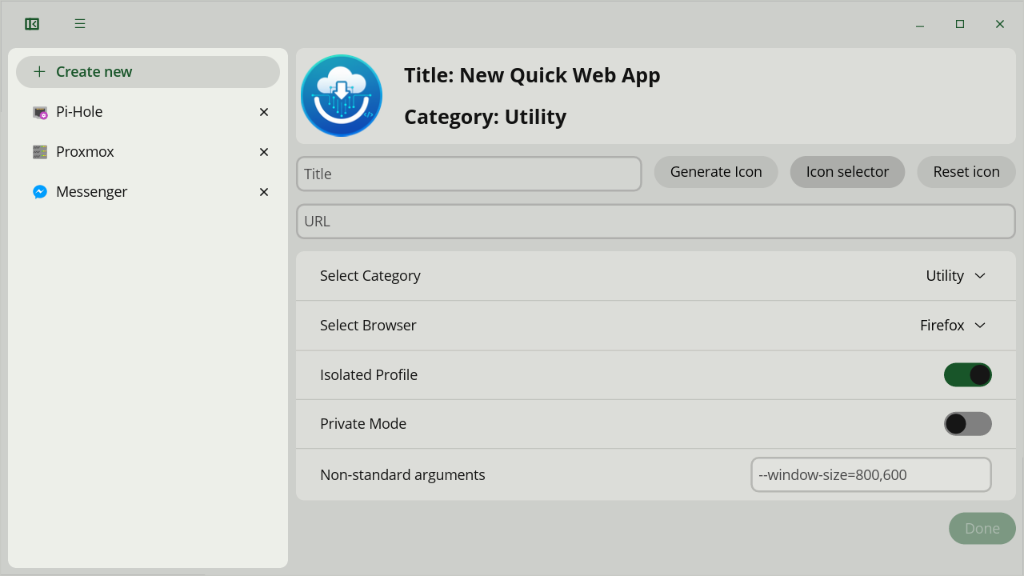
Created Web Apps are using your currently installed browser of choice. You can create new Web App by filling the form in the editor window. To be able to create Web App you need to provide:
- valid URL (starting with http:// or https://).
- name of the application.
- icon (generate or press the icon button to choose one from your system).
- selected browser of choice
This app can use icons from packs installed in xdg-data/dev.heppen.webapps/icons path. If you installed it as flatpak this will lands to $HOME/.var/app/dev.heppen.webapps/data/dev.heppen.webapps/icons or $HOME/.local/share/dev.heppen.webapps/icons - if built native.
I would recommend pulling Papirus icons, it's simple as that:
wget -qO- https://git.io/papirus-icon-theme-install | env DESTDIR="$HOME/.var/app/dev.heppen.webapps/data/dev.heppen.webapps/icons" sh
wget -qO- https://git.io/papirus-icon-theme-install | env DESTDIR="$HOME/.local/share/dev.heppen.webapps/icons" sh
Code is distributed with GPL-3.0 license
- system76 for libcosmic
- Linux Mint's WebApp Manager for ideas and solutions
- Papirus Icons Pack for huge amount of icons to use