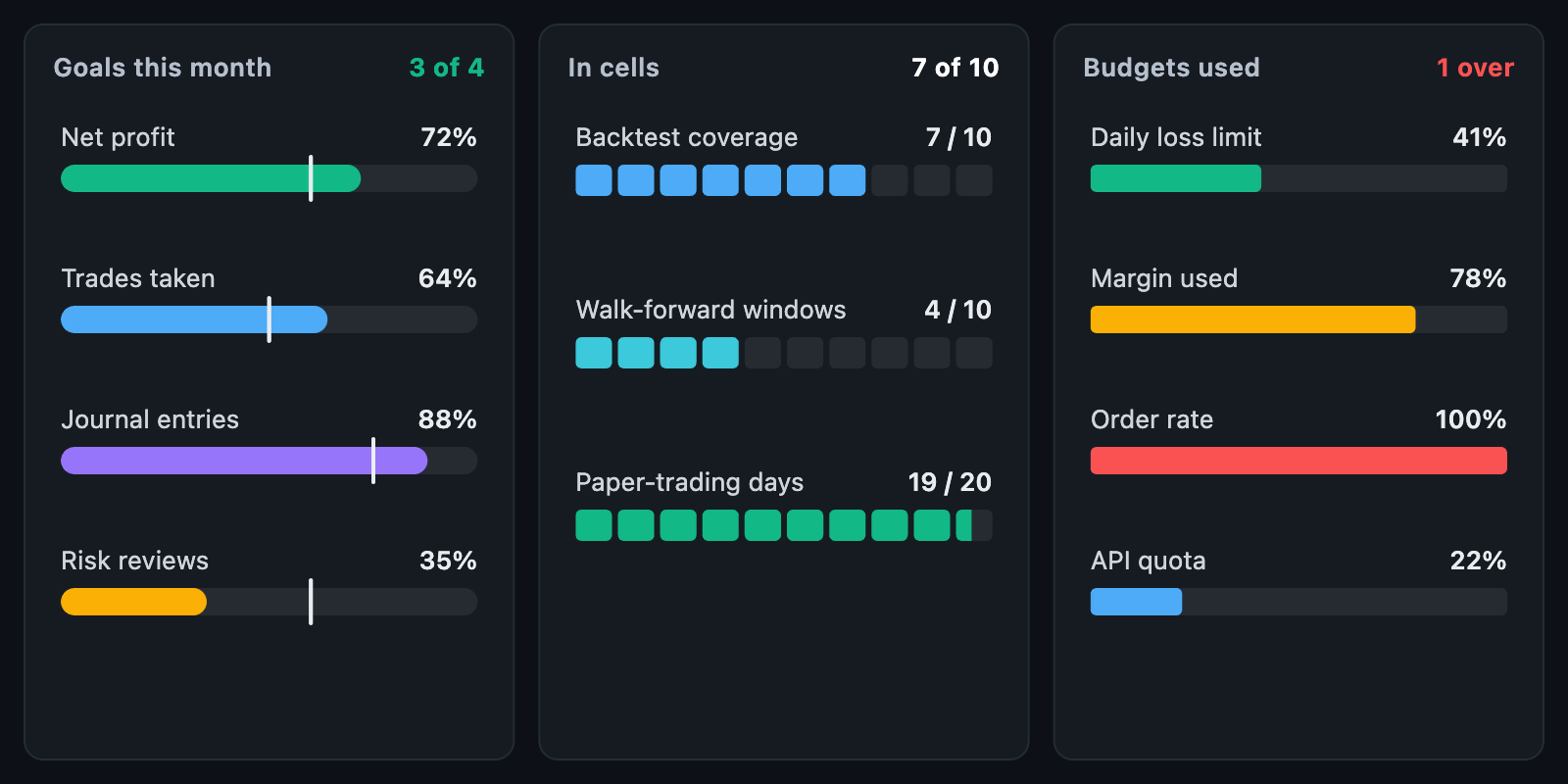
ProgressBars shows how far each of several things has got. Every row is a
label and a figure above a bar; the bar is a pill, a block or a row of cells,
and can carry a mark for where it should be by now.
ProgressBars(
  items: const [
    ProgressItem(label: 'Net profit', value: 72, target: 60),
    ProgressItem(label: 'Trades taken', value: 32, total: 50),
  ],
  shape: ProgressShape.pill,
);
The chart fills the width it is given. In a box with no height it takes
intrinsicHeight; in a box too short for its rows they shrink together to fit.
| Field | What it is |
|---|---|
label |
Written above the bar at the left |
value, total |
How far it has got, out of what; total defaults to 100 |
target |
A mark across the bar, in the same units as total |
color |
Overrides the chart's fill colour for this row |
valueLabel |
Written above the bar at the right; null writes the per cent done |
A value past total fills the bar and no more; a value that is not a number,
or a total of zero or less, fills nothing.
ProgressShape |
Look |
|---|---|
pill |
One bar with fully round ends |
block |
One bar with a small corner radius |
segmented |
segments separate cells, segmentGap apart, filled from the left and the last one part way |
A short fill keeps the track's rounded left end rather than floating inside it.
layOutProgress(items, size:, ...) is the layout on its own. It returns a
ProgressLayout of ProgressRowLayouts, each with rowRect, headerRect,
trackRect, fillRect and targetX; layout.rowAt(point) finds the row under
a point. progress shortens every fill for a draw-in animation and leaves the
targets where they are.
onItemTap is called with an item when it is touched or dragged over, and with
null when the touch leaves. The touched row is highlighted.
| Field | Default |
|---|---|
color |
A blue, where a row names no colour |
trackColor, targetColor |
A faint grey, and a near-white mark |
barHeight, headerHeight, headerGap, rowGap |
10, 18, 6 and 16 |
showValues, valueFormatter |
The figure written at the right of the header |
labelStyle, valueStyle |
12 px, grey and white |
animationDuration, animationCurve, animateOnMount |
The draw-in |
semanticLabel is what a screen reader announces for the chart.
ProgressCard wraps any widget — a course, a goal, a task — in a card whose
whole background is a progress fill. The card is faintly tinted in color
(trackOpacity, 0.08) and a part of it (fillOpacity, 0.55) fills in as far as
progress, from 0 to 1, has got. The child is drawn as it is, over the fill,
and the fill animates to a new progress over animationDuration.
ProgressCardMode |
Fill |
|---|---|
sweep (default) |
A wedge sweeps round the card's centre like a clock, from twelve o'clock and clockwise: half done is the right half. The angle is the progress, so it reads at a glance on a tile |
circle |
A circle grows from the middle of the card's left edge and has reached the far corners at full progress; its curved edge suits a wide card better than a sweep |
linear |
A bar fills the card from its left edge, as wide as the progress; best on a wide, short card |
ProgressCard(
  progress: 12 / 20,
  mode: ProgressCardMode.sweep,
  color: Colors.teal,
  child: Column(
    crossAxisAlignment: CrossAxisAlignment.start,
    children: [
      Text('Technical analysis'),
      Text('12 of 20 lessons'),
    ],
  ),
);