

Create images, videos, speech, and 3D assets, or call an LLM from your terminal, scripts, and AI coding agent.




Install · Quick start · Agent guide · 中文指南 · Releases
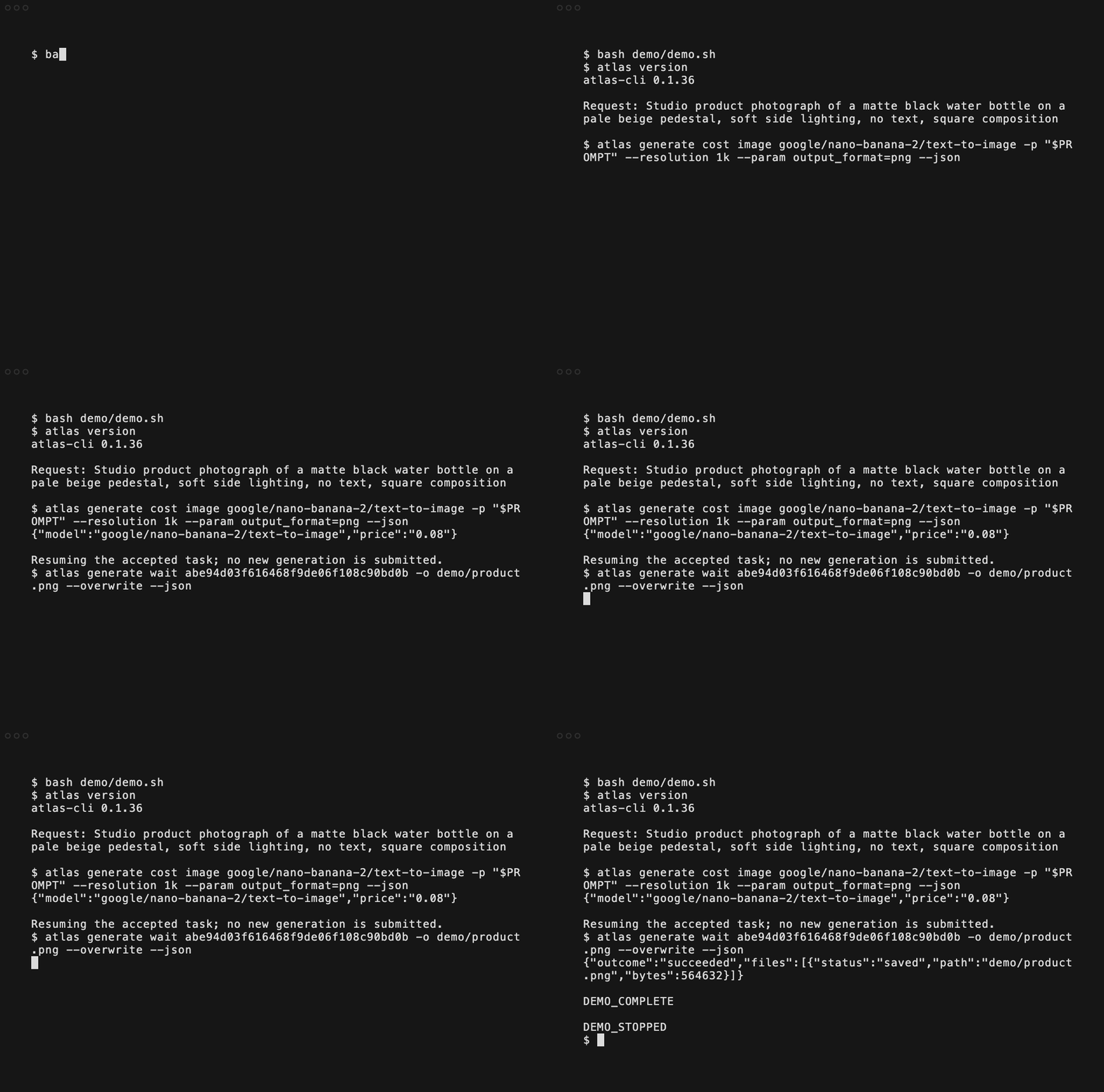
Recorded with v0.1.36 at 2× playback speed, resuming the original accepted task. View the generated image. The displayed estimate is from that run; check current pricing before generating.

Choose one method. macOS / Linux:
curl -fsSL https://raw.githubusercontent.com/AtlasCloudAI/cli/main/install.sh | shWindows PowerShell:
irm https://raw.githubusercontent.com/AtlasCloudAI/cli/main/install.ps1 | iexOr use Homebrew or npm:
brew install AtlasCloudAI/tap/atlascloud
# Or:
npm install -g atlascloud-cli
The Homebrew formula is named atlascloud; all methods install atlas.
Verify with atlas version. The shell installer uses ~/.local/bin; add it to
PATH if needed. Windows installs to %LOCALAPPDATA%\AtlasCloud\bin; reopen your
terminal afterward. Installers download a prebuilt release and verify its checksum.
Custom paths, versions, and manual installation.
atlas auth loginChoose device login to authorize your AtlasCloud account, or paste an
API key. For an existing session,
atlas auth ensure --non-interactive checks and refreshes credentials without
starting a login flow. Chat and generation are billable; model discovery and
cost estimation do not submit a generation.
Choose the command for your agent:
atlas skills install --agent claude
# Or:
atlas skills install --agent codex
Start a new agent session, attach a reference image, and ask:
Use Atlas to create a product photo from this reference. Keep the packaging and logo intact. Show me the model and cost estimate before generating, then save the result in this project.
The skill reads its detailed instructions from your installed CLI and updates with it. See the English agent guide or 中文指南 for setup requests and more tasks.
atlas models get google/nano-banana-2/text-to-image --json
atlas generate cost image google/nano-banana-2/text-to-image \
  -p "A matte black water bottle on a beige pedestal, studio lighting" --json

# Billable: wait for completion and save the files.
mkdir -p outputs
atlas generate image google/nano-banana-2/text-to-image \
  -p "A matte black water bottle on a beige pedestal, studio lighting" -o ./outputs/
Generation waits and downloads by default; the result reports status and saved
file paths. Use --no-download for remote results only.
Complete image, video, speech, and 3D examples
include real model IDs and required inputs.
atlas models list --type video --json
atlas models list --type audio --json
atlas models list --type 3d --json
atlas models search seedance --type video --json
Use atlas models get MODEL_ID --json to inspect required fields and defaults.
Model availability and pricing depend on your account catalog. Audio and 3D
commands require the selected model and schema to be exposed there.
For model-specific flags, use atlas generate video MODEL_ID --help.
Use --json for scripts; output is also JSON when stdout is not a terminal.
--no-wait returns a submission receipt. After a timeout or interruption, use
its prediction ID with atlas generate get or atlas generate wait to continue
the same task. Local receipts are available through atlas generate ops list.
If submission is unknown, inspect the receipt before creating another billable job.
For CI, inject an API key from your secret store and authenticate explicitly:
atlas auth login --token "$ATLASCLOUD_API_KEY"The CLI does not automatically load .env or use ATLASCLOUD_API_KEY without
that login command. See the script and JSON guide
and runnable examples.
| Command | Purpose |
|---|---|
atlas auth |
Sign in, check/refresh the existing session, or sign out |
atlas models |
Discover models and inspect schemas |
atlas chat |
Chat or analyze supported image/video/audio inputs |
atlas generate |
Generate image/video/audio/3D outputs, estimate cost, and retrieve tasks |
atlas generate ops |
Inspect local receipts and resume accepted tasks |
atlas skills |
Install or read the Atlas agent skill |
atlas account |
Show, list, or switch accounts |
atlas doctor |
Diagnose local installation and configuration |
atlas update |
Update an official native installation |
atlas version |
Show the installed version |
Run atlas --help or atlas <command> --help for flags. Chat currently returns
its full response when ready; it does not stream tokens.
Official native installs check for background updates during interactive use, at most once every 24 hours. JSON commands and CI do not start background updates.
atlas update          # Native installer: update now
atlas update --check  # Check only
atlas doctor --json  # Local diagnostics

# For package-manager installs:
brew upgrade atlascloud
npm install -g atlascloud-cli@latest
Set ATLAS_AUTO_UPDATE=0 in your shell profile to disable background updates.
For authentication errors, use atlas auth ensure --non-interactive; log in again
if credentials cannot be refreshed. For an unknown model, search the live catalog.
If generation succeeded but download failed, retrieve the same task again.
More troubleshooting and recovery.
Authentication uses your platform's credential storage or a protected local
fallback. Official releases send usage events with command, model ID, version,
platform, duration, and outcome/error metadata, linked to a random installation ID.
They exclude prompts, auth/API tokens, media content, and file paths.
Set ATLAS_TELEMETRY=0 before installation and keep it set to disable usage events
and the installer ping. This does not disable the API requests needed for your task.
In PowerShell, use $env:ATLAS_TELEMETRY="0".
Optionally run atlas auth logout to clear credentials, then uninstall:
rm -f "$HOME/.local/bin/atlas"   # Default shell install
# Or, for your package manager:
brew uninstall atlascloud
npm uninstall -g atlascloud-cli
On Windows, remove %LOCALAPPDATA%\AtlasCloud\bin\atlas.exe, or your chosen
custom install path, and remove the unused directory from your user PATH.
-
🎬 Video (216) — MiniMax H3 Max · MiniMax H3 Fast · Gemini Omni 1.1 Flash · MiniMax H3 · Wan-3.0-Prime · Wan-3.0
-
🎨 Image (138) — GPT Image 2.5 Sunburst · GPT Image 2.5 Flare · Seedream v4.7 · MAI-Image-2.6-Flash
-
🧊 3D (14) — Seed3D 2.0 · Tripo H3.1 · Hunyuan 3D Rapid · Hunyuan 3D Pro
-
💬 LLM (71) — DeepSeek V4.1 Flash · DeepSeek V4 Pro 0813 · Grok 4.6 · DeepSeek V4 Flash 0731
-
📚 Explore more — all 484 live models »
- Generate product images with Claude Code or Codex — install the skill, estimate cost, and save a product photo.
- Turn an image into a video from your terminal — inspect inputs, estimate cost, and resume the same task after an interruption.
- English agent guide / 中文指南
- Complete media examples / Script and CI guide
- CLI documentation / Changelog
- GitHub Issues — include version, OS/arch, install method, and the failing command with secrets removed.
- Discord
This repository hosts installers, releases, and package-manager wrappers; the Go source is maintained separately. Other integrations: MCP Server, Atlas Cloud Skills, ComfyUI, and n8n.
MIT